The waltzremote program is obsolete, so I am using this domain for something new.

About

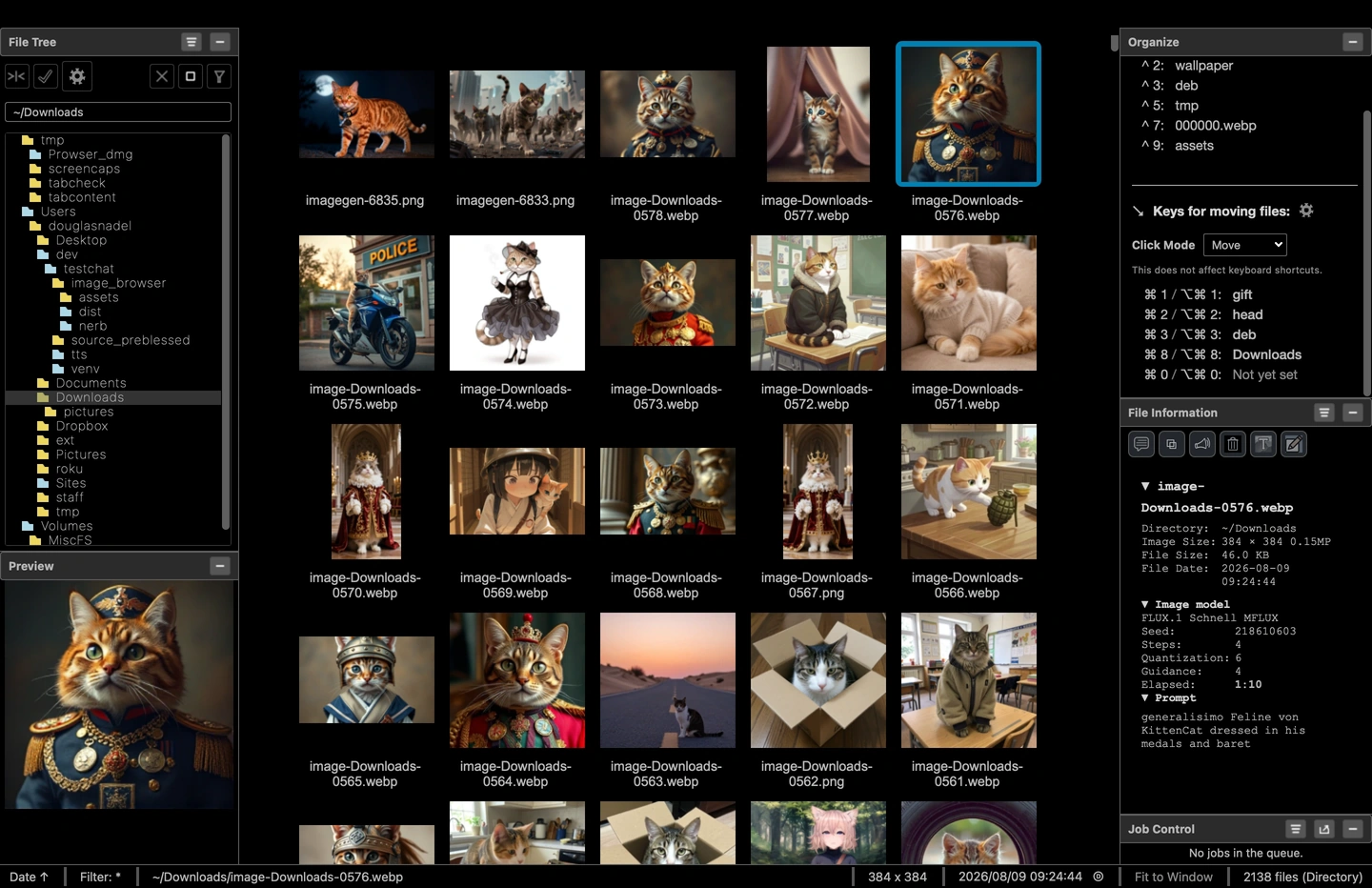
Prowser (Personal Image Browser) is a Python-based image browser built specifically for macOS. It reads directly from your existing folders — no import step — and gives you keyboard-driven navigation, powerful search, and practical organization tools in one lightweight app.

Download

Prowser-0.9.2.dmg

Full version with AI image generation and manipulation features included.

Last updated 2026-06-22 02:24 — 11 hrs, 2 mins ago
File size 563 MB
MD5 b11d31b4d661b98dcd60972ed81b36d0
Prowser-0.9.2-min.dmg No AI image generation or manipulation features.

Both installers use the same application code. The -min build omits Python packages required for AI features, saving 145 MB in download size. AI features are not available in the -min build.

Last updated 2026-06-22 02:24 — 11 hrs, 2 mins ago
File size 418 MB
MD5 44ee5874b10e1405435bf041b015171f

Version 0.9.2 as of 2026-06-21 is available at GitHub: https://github.com/Waltz49/Prowser.

Questions or bug reports: sillysotsoftware@yahoo.com.
Installation

Open the DMG and drag Prowser to Applications.

To run from source instead, save the source bundle and run
./setup.sh #first time only
./run.sh
Source code is included in the disk image. Feel free to try it in a VM if you are concerned about security — if you like it, let me know.

Settings Available

Hover a settings tab on the left to preview that panel.

Prowser preferences — General settings General Favorites Directories File Types Destinations Excludes Face Recognition Captioning LoRA Maps and Editor Slideshow Search Models Theme Caches
Settings dialog — hover sidebar tabs to explore